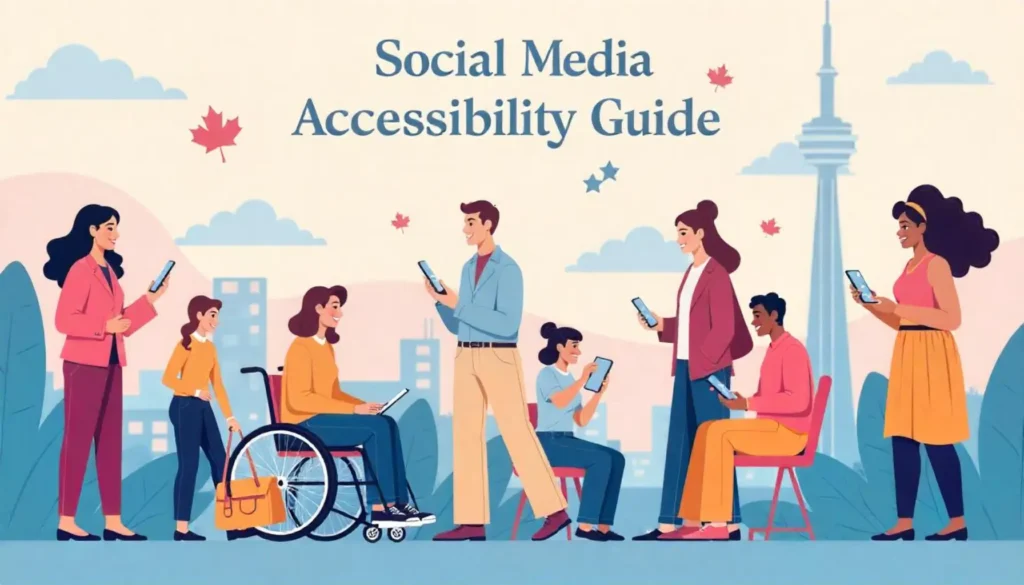
In today’s digital landscape, social media accessibility is essential for ensuring that all users, including those with disabilities, can engage with online content. With regulations like the Accessible Canada Act (ACA) and AODA compliance for social media, businesses, municipalities, and organizations must adopt inclusive practices to avoid legal risks and enhance user experience.
Creating accessible social media content means going beyond basic compliance—it’s about fostering inclusivity and ensuring that every post, video, and image can be understood and interacted with by diverse audiences. Common barriers include missing alt text for social media, low-contrast visuals, inaccessible hashtags, and lack of captions or transcripts for videos. Addressing these issues improves engagement and ensures content reaches a broader audience.
This guide provides social media accessibility best practices, a checklist, and practical tips for making content more inclusive. Whether you’re a content creator, marketer, or government agency, these insights will help you meet the social media accessibility guide while creating a more inclusive digital space.
What Does Accessibility Mean in Social Media?
Social media accessibility ensures that all users, including those with disabilities, can fully engage with content across various platforms. This means removing barriers that may prevent individuals from reading, hearing, or interacting with posts, videos, and images.
When asking, “What does accessibility mean in social media?”, it refers to designing content that is inclusive for everyone. This includes adding alt text for images, providing captions for videos, using accessible hashtags with camel case (e.g., #SocialMediaAccessibility instead of #socialmediaaccessibility), and ensuring proper colour contrast for readability.
Beyond legal compliance with laws like the Accessible Canada Act (ACA) and AODA standards for social media, accessibility fosters greater inclusivity and engagement. By making social media content more user-friendly for people with disabilities, businesses, municipalities, and organizations can broaden their reach and create a more inclusive digital community.
Why Social Media Accessibility Matters
Making your social media content accessible isn’t just a nice-to-have—it’s essential. Here’s why it matters in Canada, especially under the ACA (Accessible Canada Act):
1. Increases Visibility
Accessible posts are easier to understand, read, and engage with. By adding features like alt text, captions, and readable text, your content becomes searchable and usable for everyone—including those using assistive technologies.
2. Broadens Your Audience
Canada has 8.0 million people aged 15 and over living with one or more disabilities — 27% of the population (Canadian Survey on Disability, 2022). By designing accessible posts, you reach a larger, more diverse audience who may otherwise be excluded.
3. Ensures Legal Compliance
Social media content from federal agencies and organizations under ACA and AODA must meet accessibility standards. Failing to comply can result in legal complaints or reputational damage.
4. Enhances Customer Service
Accessible content leads to fewer barriers and more positive interactions. When customers can interact with your content and messaging independently, demonstrating a commitment to privacy and transparency can further strengthen confidence in your organization.
Social Media Accessibility Best Practices
To help ensure that your content is inclusive, follow these best practices across your platforms:
Provide Accessible Text
Use plain language and proper punctuation. Avoid using special fonts or symbols that may confuse screen readers.
Provide Closed Captions or Transcripts
Always include captions in your video content. For platforms like YouTube and Facebook, use auto-captioning tools—but always review for accuracy. Provide transcripts for podcasts or audio content.
How To Add Captions to Each Platform
- YouTube: Upload SRT files or edit auto-captions manually.
- Instagram: Use the “Captions” sticker in Stories or add subtitles directly in Reels.
- LinkedIn: Upload captions along with video files.
- Facebook: Enable captioning in video settings.
Factors To Consider for Video
Make sure videos have:
- Clear audio
- Visible speakers
- No flashing or strobe effects
- Logical visual flow
Use Content Warnings
Give users a heads-up before sharing sensitive or potentially distressing material. Example: “ Content Warning: Includes flashing images.”
Provide Text Descriptions for Video Content
Go beyond captions. Offer descriptions of key visual details for users who are blind or have low vision.
Add Alt Text and Descriptions to Images
Use built-in alt text features on all major platforms to describe what’s in your images. Keep it concise and informative.
Provide Colour Contrast
Ensure text over images or backgrounds is easy to read. Tools like WebAIM’s contrast checker can help you test combinations.
Add a Warning for People With Photosensitivity
Avoid autoplaying content with flashing lights. Add warnings if your visuals include rapid movement, strobe, or flashing effects.
How Can Accessibility Partners Help with Social Media Accessibility?
Social media accessibility is more than a compliance checkbox—it’s a commitment to inclusivity. By following best practices like adding alt text, providing captions, and ensuring strong colour contrast, your organization not only meets the ACA requirements but also improves digital accessibility for Canadians coast to coast. Accessible social media design creates better engagement, supports social media inclusivity, and protects your organization from legal risks.
Here’s why you should choose Accessibility Partners over other competitors:
1. Proven Expertise in Social Media Accessibility Compliance
With years of experience auditing and improving digital accessibility, our team understands the WCAG 2.2 standards and how they apply to social media platforms. We go beyond generic recommendations, offering tailored solutions to address accessibility gaps specific to your content.
2. Data-Driven Accessibility Audits and Action Plans
Unlike other providers, we conduct in-depth accessibility audits—including real-world testing with assistive technologies—to pinpoint barriers in your social media channels. We don’t just identify issues; we provide a clear action plan to make your content fully inclusive.
3. Customized Training for Your Team
We offer social media accessibility training for content creators, marketing teams, and municipal communication departments. Our hands-on workshops ensure your team understands best practices for alt text, captions, accessible hashtags, and more.
4. Compliance Support to Avoid Legal Risks
Failing to meet accessibility standards can lead to compliance violations and reputational damage. We help organizations align with ACA, AODA, and WCAG 2.2 requirements, reducing legal risks while promoting inclusivity.
5. Accessibility Tools and Resources
We provide exclusive checklists, accessibility toolkits, and ongoing support to ensure your team consistently creates accessible social media content. Our resources make it easy to implement best practices across all platforms.
Get Expert Help with Social Media Accessibility from Accessibility Partners
Don’t let accessibility barriers limit your social media reach. Partner with Accessibility Partners to ensure your content is inclusive, compliant, and engaging for all users. Contact us today for a consultation, accessibility audit, or customized training session.
Tips for Creating Accessible Social Media Content
Crafting social media content that is accessible is more than just a best practice — it is a necessary approach for ensuring inclusivity. The task may seem hard at first, but breaking it down into manageable tasks can help Canadians to start to make their content open to more people. Social media accessibility best practices involve several key actions:
Here are some practical tips to get started on the path to making social media content more accessible.
Alternative Text for Images
When posting images, always include descriptive alternative text (alt text). This ensures that individuals using screen readers are able to understand what the image is about and can fully engage with your content.
Captioning for Videos
Non-textual content like videos should be captioned to provide an equivalent experience for those who are deaf or hard of hearing. Proper captions also benefit those who cannot play audio, increasing the potential audience of your video content.
Descriptive Links
Avoid using generic hyperlinks like “click here” or “read more.” Instead, provide descriptive links that give context and can be understood out of their original context, which is particularly helpful for those navigating through a screen reader.
Text Formatting
Simple and consistent text formatting makes content easier to read for everyone. Use headers to break up content, keep line lengths reasonable, and avoid excessive use of capitalization or italics that can hinder readability for some users.
Tools and Resources for Social Media Accessibility
Ensuring social media accessibility requires the right tools and resources to identify and fix accessibility barriers. From alt text generators to colour contrast checkers, these tools help businesses, content creators, and organizations comply with social media accessibility guide while improving user experience.
Alt Text Generators and Checkers
- Microsoft Accessibility Checker – Ensures images have proper alt text and flags missing descriptions.
- ALT Text Tester – A browser extension that verifies if alt text is correctly implemented on social media images.
Colour Contrast Checkers
- WebAIM Contrast Checker – Evaluates text-background contrast for readability and WCAG compliance.
- Color Oracle – A free tool that simulates colour blindness to ensure inclusive design.
Captioning and Transcript Tools
- YouTube Auto-Captions (with Manual Edits) – Automatically generates captions, allowing for manual corrections.
Screen Reader Testing
- NVDA (NonVisual Desktop Access) – A free screen reader to test how visually impaired users navigate your content.
- VoiceOver (iOS & macOS) – Apple’s built-in screen reader for testing mobile accessibility.
Accessible Hashtag and Text Formatting Tools
- Hashtag CamelCase Converter – Ensures proper capitalization (e.g., #SocialMediaAccessibility instead of #socialmediaaccessibility).
- Hemingway Editor – Simplifies text to improve readability for users with cognitive disabilities.
By integrating these social media accessibility tools, businesses can create more inclusive content and improve compliance with AODA and Accessible Canada Act (ACA) standards.
Conclusion: The Journey to Make Social Media Inclusive
The ultimate goal of this social media accessibility guide is to reinforce the importance of inclusivity in digital spaces and provide actionable steps to achieve it. By adopting these recommendations, Canadians can ensure that their social media presence is welcoming to all, thereby contributing to a more connected and accessible online community.
Remember, accessibility is an ongoing commitment. Regularly revisit and update your social media practices to incorporate the latest best practices and feedback from your audience. By doing so, you’re not only meeting legal requirements but also maximizing the reach and impact of your content for all Canadians.