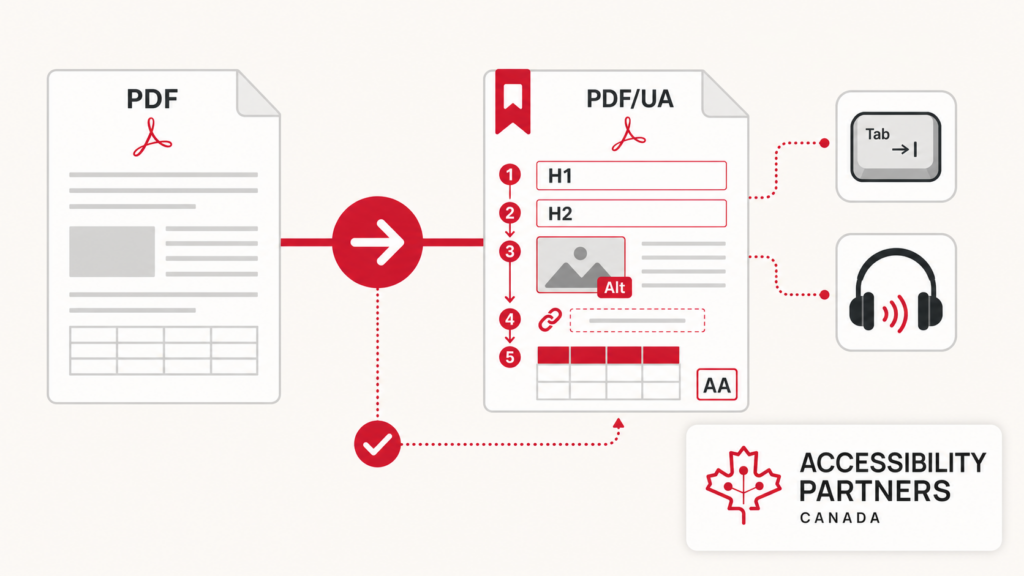
In today’s world, digital accessibility has become a priority, and PDFs are a widely used format for sharing information across various platforms. While PDFs offer convenience, they can pose challenges for users with disabilities if they are not properly formatted for accessibility. Ensuring your documents comply with PDF accessibility guidelines is crucial to reach all users.
This article delves into essential PDF accessibility guidelines, offering insights into why it matters, how to create accessible PDFs, and the tools available to ensure compliance.
What is PDF Accessibility?
PDF accessibility guidelines refer to making Portable Document Format (PDF) files usable by all individuals, including those who rely on assistive technologies such as screen readers, magnifiers, or keyboard navigation.
The goal is to ensure that the content within a PDF can be accessed, understood, and navigated by users with disabilities, which include visual, auditory, cognitive, and motor impairments. Following PDF accessibility guidelines ensure content is structured in a way that allows assistive technologies to interpret it correctly. This includes everything from properly formatted text to alternative descriptions for images and ensuring the logical reading order of the document.
Why PDF Accessibility is Important
Ensuring that PDFs are accessible has far-reaching benefits, not only for the end user but also for the document creator. Here are a few key reasons why PDF accessibility is essential:
Equal Access for All: Accessibility is a matter of inclusivity. People with disabilities should have the same access to information and opportunities as anyone else. PDF accessibility guidelines ensure that content is inclusive, allowing users to interact with documents independently.
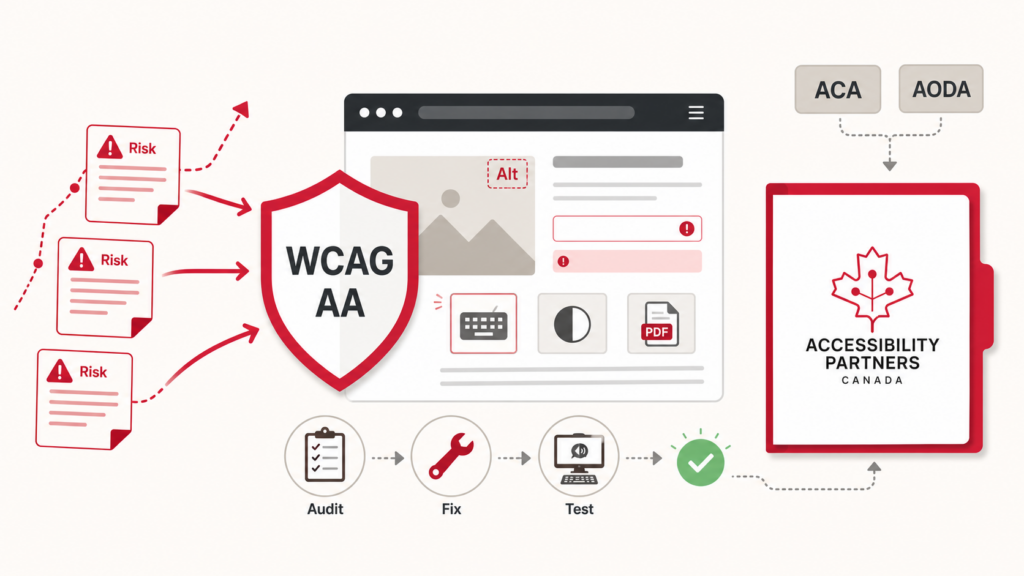
Compliance with Legal Standards: Many organizations are legally obligated to meet accessibility standards. In Canada, the AODA requires designated organizations to make web content, including PDFs, conform to WCAG, and the Accessible Canada Act sets accessibility planning obligations for federally regulated organizations. Provincial acts in BC, Manitoba, Nova Scotia, Saskatchewan, New Brunswick, and Newfoundland and Labrador add further requirements. Organizations serving US markets also face the ADA and Section 508.
Better User Experience: Accessible PDFs enhance usability for all users, making the documents easier to navigate and understand. This improves the overall user experience, even for those without disabilities.
Enhanced SEO Performance: Search engines can index accessible PDFs more efficiently because properly formatted text, tags, and alt descriptions provide better content readability. This can boost your document’s online visibility if you follow PDF accessibility guidelines.
PDF Accessibility Guidelines: How to Make Your PDFs Accessible
Creating accessible PDFs involves a combination of proper document design, adherence to accessibility standards, and the use of specialized tools. Here are the key steps to ensure your PDFs meet accessibility requirements:
Use Proper Headings
Structure your document with clear headings (H1, H2, H3, etc.) that define the document’s hierarchy. This allows assistive technologies to navigate through the content logically.
Add Alternative Text to Images
For images, charts, and graphics, include descriptive alternative text (alt text) that explains the content for users who rely on screen readers.
Ensure Text is Selectable and Searchable
Avoid using images of text, as they are unreadable by screen readers. Instead, make sure the text in your PDF is selectable, allowing users to search, copy, and interact with it.
Provide a Logical Reading Order
PDFs should have a reading order that makes sense for users navigating via keyboard or screen reader. Ensure that content flows logically, following a left-to-right, top-to-bottom sequence.
Use Descriptive Links
Hyperlinks should have descriptive text rather than generic labels like “Click Here.” For example, use “Download the Annual Report” instead.
Include Table Headers
For tables, add proper table headers that help users understand the relationship between rows and columns. Ensure that the data is structured logically to be understood by assistive technologies.
Ensure Colour Contrast
Ensure adequate contrast between text and background colors to make the content readable for users with visual impairments. Tools like the WebAIM Colour Contrast Checker can help you test for appropriate contrast ratios.
Embed Fonts
Embed the fonts used in your document to ensure that the text appears correctly across different devices and remains readable by screen readers.
Add Bookmarks for Long Documents
For lengthy PDFs, include bookmarks that allow users to quickly navigate to different sections of the document.
Test Accessibility
After creating your PDF, use accessibility checker tools to identify any potential issues. Testing is crucial to ensuring compliance with accessibility guidelines.
Understanding Accessibility Standards and Compliance
Organizations that regularly create and distribute accessible documents often complement these efforts with accessibility compliance training for nova scotia to help teams better understand accessibility standards and compliance requirements.
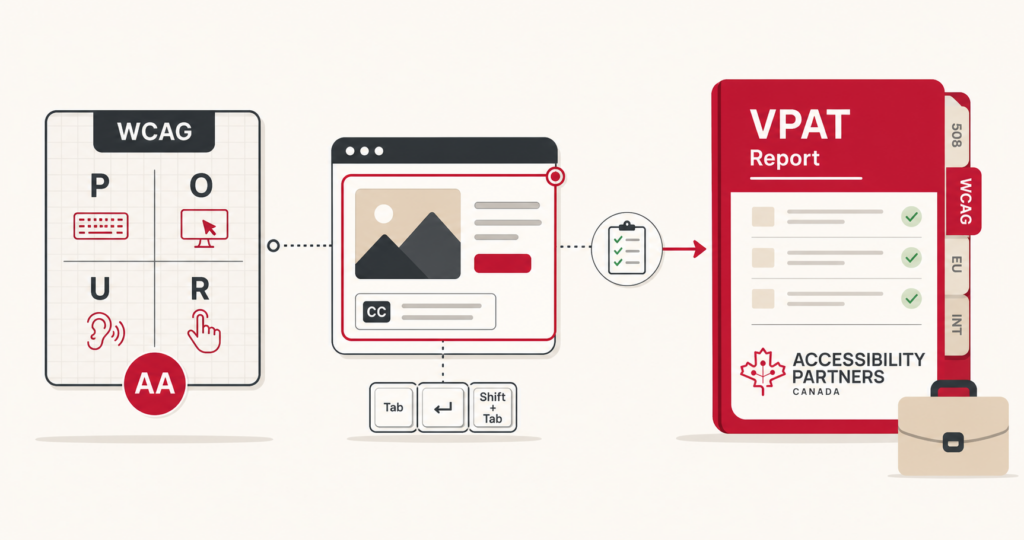
WCAG 2.1 (Web Content Accessibility Guidelines): These guidelines outline how to make web content, including PDFs, accessible to users with disabilities. WCAG 2.1 focuses on four key principles: Perceivable, Operable, Understandable, and Robust. Adhering to these principles is a core part of PDF accessibility guidelines.
PDF/UA (Universal Accessibility): PDF/UA is an ISO standard specifically focused on making PDFs accessible. It ensures that the PDF structure is machine-readable and usable with assistive technologies, aligning with PDF accessibility guidelines.
AODA (Ontario): Designated organizations must conform web content, including posted PDFs, to WCAG 2.0 Level AA under the Integrated Accessibility Standards Regulation.
Accessible Canada Act (federal): Federally regulated organizations must publish accessibility plans, maintain feedback processes, and report progress; accessible documents are part of meeting those commitments.
Section 508: In the United States, Section 508 of the Rehabilitation Act requires that all electronic content, including PDFs, be accessible to individuals with disabilities in federal agencies. Compliance with Section 508 is part of PDF accessibility guidelines.
Adhering to these standards not only helps you avoid legal repercussions but also ensures that your content reaches the widest possible audience by following PDF accessibility guidelines.
Final Words
PDF accessibility is an essential part of creating inclusive digital content. By following these PDF accessibility guidelines, you can ensure that your documents are usable by everyone, including individuals with disabilities. Accessibility benefits both the creator and the end user, fostering a more inclusive environment and enhancing user experience.
Incorporating proper structure, using appropriate tools, and adhering to established standards like WCAG 2.1 and PDF/UA will help you create documents that are both accessible and compliant with PDF accessibility guidelines.
Contact accessibility Partner’s today for Accessibility services. We are experienced in Accessibility Audits, PDF and Document accessibility remediation and more. Elevate your accessibility standards with our tailored solutions.
By using these tools and adhering to best practices, you can create fully accessible PDF documents that comply with legal standards and provide an inclusive experience for all users.