
Online banking has transformed how we manage money. Yet, many digital banking services still create barriers for people with disabilities. Inclusive online banking means ensuring websites and apps are accessible to everyone regardless of vision, mobility, hearing, or cognitive ability. As digital access becomes a public expectation, accessible banking is no longer optional, it’s essential.
Many individuals with disabilities rely on accessible banking services to manage their finances independently. If banks fail to create accessible platforms, they risk excluding a large portion of the population. Accessible banking isn’t just a legal or moral responsibility, it also enhances the user experience and allows financial institutions to reach a wider, more diverse audience.
Why Online Accessibility Matters for Banks
Online banking accessibility isn’t just a matter of convenience, it’s about equal opportunity. Customers with disabilities rely on accessible digital platforms to manage their finances independently. Providing accessible banking services benefits banks by:
- Expanding their reach to users with disabilities
- Complying with accessibility laws and avoiding lawsuits
- Improving customer satisfaction and loyalty
- Upholding their brand as inclusive and forward-thinking
Accessible information in retail banking improves financial inclusion, particularly for older adults and customers using assistive technologies.
Legal Requirements: Why Accessibility Isn’t Optional
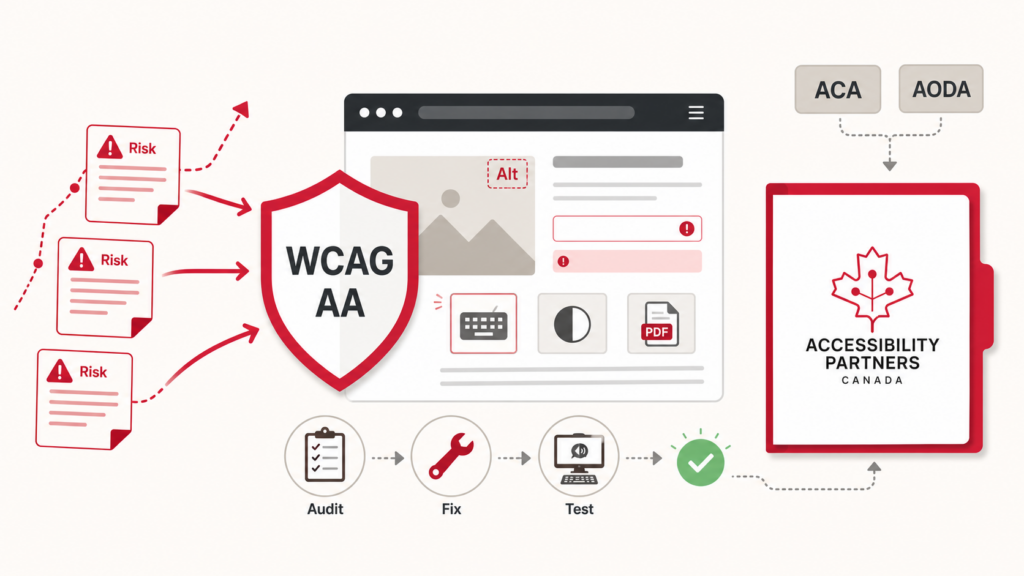
Accessibility is a legal requirement under Canadian laws such as the Accessible Canada Act (ACA) and Accessibility for Ontarians with Disabilities Act (AODA). These laws mandate that federally regulated organizations and Ontario-based services ensure their digital content is accessible. Non-compliance can lead to significant penalties and reputational damage. For example, banks operating in Ontario are required to meet WCAG 2.0 Level AA standards as part of their digital compliance obligations under AODA.
What steps can banks take to improve their web and mobile app accessibility?
Banks can boost accessibility through practical updates to their platforms. Key improvements include:
To improve online banking accessibility, banks must take practical steps to enhance the usability of their digital platforms. Here are some key improvements that banks can implement:
- Ensuring screen reader compatibility for all website and mobile content: For users with visual impairments, screen readers are crucial tools for navigating websites. Banks should ensure that all website content, from text to images, is compatible with screen readers.
- Using semantic HTML and descriptive link text: Properly structured HTML ensures that content is understandable by assistive technologies, such as screen readers. Using descriptive link text also helps users with cognitive disabilities understand the purpose of a link, ensuring they can navigate the website more efficiently.
- Implementing accessible forms with proper labels: Forms are an essential part of online banking, and ensuring that they are properly labeled is critical for accessibility. Labels should be clear and descriptive, and error messages should be screen reader-friendly to guide users through the process.
- Providing error messages and form feedback that are screen reader-friendly: Error messages should be clearly written, providing guidance for users to resolve any issues.
- Maintaining consistent navigation structures: Consistent navigation allows users to move around the site without confusion. Banks should create clear, easy-to-understand navigation structures that are predictable and reliable.
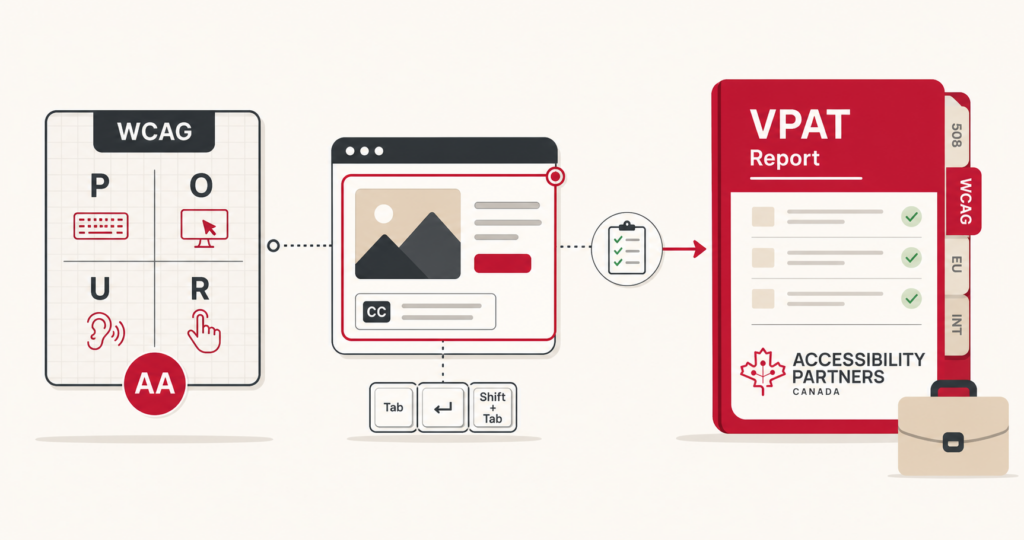
Many customers download and review banking documents, such as financial statements and agreements. These documents should comply with accessibility standards such as WCAG and PDF/UA to ensure that users with disabilities can access and understand them.
Practical Ways to Make Online Banking Accessible
Whether you’re building or updating a banking platform, these practices help make digital banking easier for everyone:
- Use alt text for images: Helps screen reader users understand visual content.
- Enable full keyboard navigation: Essential for people who can’t use a mouse.
- Offer text resizing options: Benefits those with visual impairments.
- Provide transcripts for audio/video: Supports customers with hearing disabilities.
- Maintain high contrast ratios: Critical for readability and compliance.
- Simplify navigation: Clear menus help users with cognitive challenges.
What is the future of accessible banking services?
The future of accessible banking is inclusive by design. Banks are increasingly turning to AI, voice interfaces, and adaptive technologies to create better user experiences. Features like voice-activated commands, biometric authentication, and customizable accessibility settings are leading the way. Accessible banking services must evolve with these innovations to meet the needs of people with disabilities across devices and platforms.
Tools & Resources for Accessible Online Banking
- WCAG Guidelines – Global standards for web content accessibility
- WAVE – Web accessibility evaluation tool
- Axe by Deque – Browser extension for automated accessibility testing
- Colour Contrast Checker – Ensures compliant visual contrast
- Harvard Digital Accessibility Training – Free online training for teams
Building Banking Experiences Accessible to Everyone
Creating accessible banking services isn’t just a checkbox, it’s a commitment to equal access. From customer onboarding to daily transactions, banking platforms must be usable by people with a wide range of abilities. When banks embed accessibility into their digital services, they not only comply with Canadian accessibility laws but also build trust, expand their customer base, and drive digital inclusion forward.
Need support? Contact Accessibility Partners to schedule an audit or consultation for your online banking services. Our web accessibility consultants in Portage la Prairie help organizations identify digital accessibility barriers and improve compliance with accessibility standards.