In 2025, digital accessibility is no longer optional, it is expected. Businesses, governments, and organizations are under increasing pressure to make their websites usable for everyone, including people with disabilities. While many sites have nailed the basics like alt text and colour contrast, there are countless overlooked issues from poor focus indicators to inaccessible forms that still create barriers.
This blog explores real-world examples of accessible websites, explains what they’re doing right, and reveals common mistakes to avoid. If you’re looking to align with WCAG compliance and accessibility standards for websites, this guide is for you.
What Makes a Website Accessible?
In simple terms, an accessible website can be used by people of all abilities and disabilities. This includes users who are blind, have low vision, are deaf or hard of hearing, have mobility limitations, or cognitive differences.
Key guidelines include:
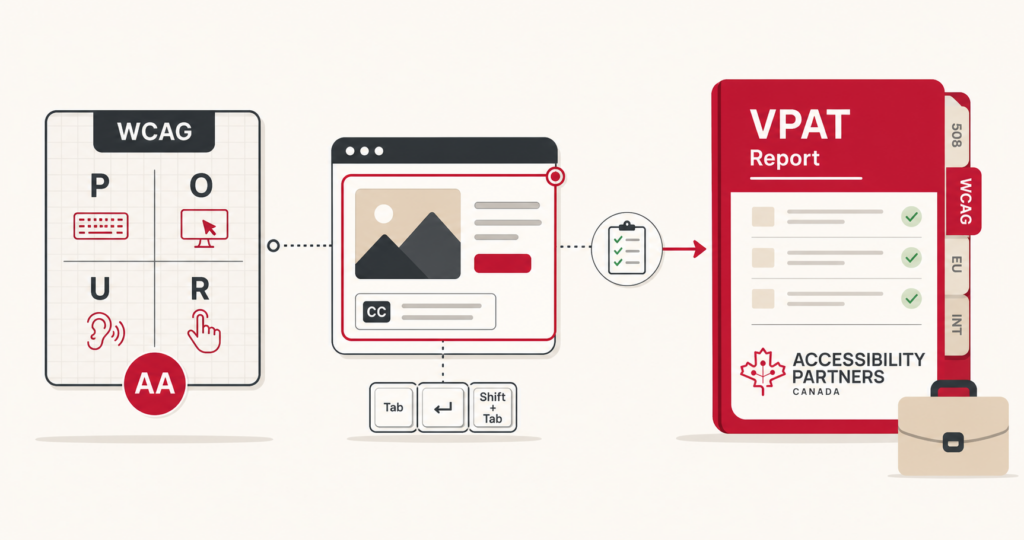
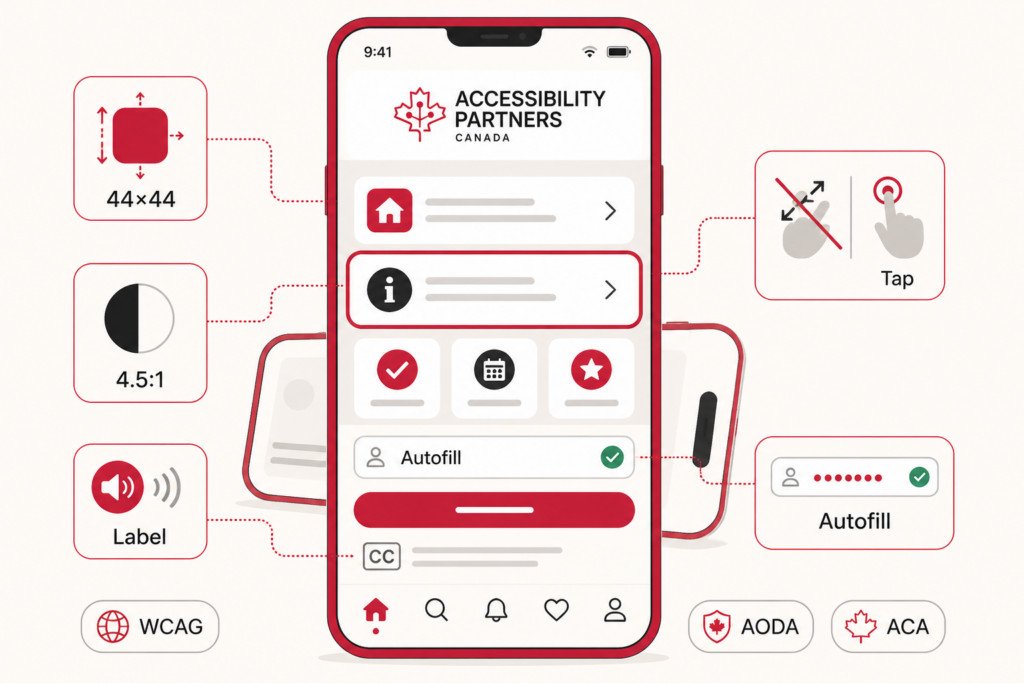
- WCAG (Web Content Accessibility Guidelines) – The global gold standard, currently at version 2.2.
- AODA (Accessibility for Ontarians with Disabilities Act) – A Canada-specific law that mandates accessible digital content.
Real-Life Examples:
- LinkedIn automatically generates alt text for user-uploaded images to assist screen readers.
- BBC allows full keyboard navigation, making it accessible for users who can’t use a mouse.
Why Accessibility is Important for Websites
Here’s why making your site accessible is more than just a good idea:
- Reach a Wider Audience: 1.3 billion people, 16% of the global population, live with significant disability (WHO).
- Improve SEO: Search engines prioritize sites with good structure and readable content features that overlap with accessibility.
- Legal Compliance: Avoid lawsuits and fines by complying with AODA, WCAG, and other regulations.
- Boost User Experience: Accessible features like high contrast and larger fonts benefit all users.
- Build Trust: Inclusive design strengthens brand reputation and customer loyalty.
10 Accessible Websites That Set the Standard
Great here are accessible websites based in Canada and the U.S. that demonstrate strong adherence to WCAG 2.1 AA or AAA principles. These are either government agencies, educational institutions, or organizations known for implementing accessible digital experiences.
Accessible Canadian Websites
1. Canada.ca (Government of Canada)
URL: https://www.canada.ca
Why it’s accessible:
- Designed to meet WCAG 2.1 AA
- High contrast, plain language, and consistent navigation
- Keyboard navigable and screen reader compatible
2. CBC/Radio-Canada Accessibility
URL: https://cbc.radio-canada.ca/en/vision/accessibility
Why it’s accessible:
- Public commitment to digital inclusion
- Captioned and described video content
- Clear structure and focus indicators
3. University of British Columbia (UBC)
URL: https://www.ubc.ca
Why it’s accessible:
- Accessibility integrated into CMS and templates
- Large text and screen reader support
- Policy-driven design
4. Government of Ontario
URL: https://www.ontario.ca
Why it’s accessible:
- Meets AODA and WCAG 2.1 AA standards
- Keyboard accessible, well-structured content
- Accessible forms and navigation
Accessible U.S. Websites
5. Social Security Administration (SSA)
URL: https://www.ssa.gov
Why it’s accessible:
- Meets Section 508 and WCAG guidelines
- Fully keyboard navigable
- ARIA landmarks and proper heading use
6. United States Access Board
URL: https://www.access-board.gov
Why it’s accessible:
- Governs accessibility standards in the U.S.
- Excellent colour contrast and structure
- Fully compliant navigation and forms
7. University of Washington – Accessible Technology
URL: https://www.washington.edu/accessibility
Why it’s accessible:
- Education-focused accessibility
- Great for testing and learning inclusive design
- Semantic HTML and keyboard support
8. Section508.gov
URL: https://www.section508.gov
Why it’s accessible:
- U.S. government’s official site on digital accessibility
- Strong compliance and ARIA examples
- Designed for policy and practitioner use
9. Cornell University
URL: https://www.cornell.edu
Why it’s accessible:
- Strong accessible web presence
- Good headings, forms, and keyboard use
- Inclusive branding and colour contrast
10. Smithsonian Institution
URL: https://www.si.edu
Why it’s accessible:
- Features accessibility tools and inclusive media
- High contrast and descriptive links
- Great for multi-format educational content
5 Common Accessibility Features These Sites Share
- Keyboard Navigation: Everything can be accessed using only the keyboard vital for people with motor disabilities.
- Alt Text on Images: Descriptive image tags help users who rely on screen readers.
- Semantic HTML and Headings: Logical structure using H1, H2, and ARIA labels improves navigation.
- Colour Contrast: Ensures readability for people with low vision or color blindness.
- Mobile Responsiveness: Adjusts seamlessly across different devices and screen sizes.
5 Accessibility Mistakes Even Good Websites Make
- Skipping form labels, making them unreadable to assistive tech
- Missing or faint focus indicators, confusing keyboard users
- Hosting non-accessible PDFs that lack tagging or reading order
- Inconsistent navigation, frustrating screen reader users
- Overuse of mouse-only features like drag-and-drop without alternatives
Ready to Make Your Website Accessible?
If your website isn’t yet accessible, there’s never been a better time to start. Whether it’s to expand your audience, comply with regulations, or just be inclusive the benefits are clear.
Let Accessibility Partners help.
We offer expert accessibility audits, development support, and compliance guidance tailored to your needs. Organizations looking for localized accessibility expertise can also work with web accessibility consultants in thompson to identify barriers and improve digital accessibility across their websites.
Contact us today to make your digital experience accessible to all.