When we talk about accessibility, many people think about visual impairments or mobility challenges. But there’s another vital aspect often left out, cognitive disability. As digital platforms become more complex, the need to consider how people with cognitive impairments interact with websites is becoming more urgent. This article explores what cognitive disability is, how it affects user experience, and what you can do to make your site more inclusive.
Understanding the Diversity of Cognitive Disabilities
So, what is a cognitive disability?
A cognitive disability refers to a broad range of conditions that affect a person’s ability to think, learn, concentrate, or remember. It’s not one-size-fits-all, people experience these disabilities differently and to varying degrees.
Examples of cognitive disabilities include:
- Dyslexia – impacts reading and language processing
- Autism Spectrum Disorder (ASD) – may affect communication and social understanding
- Attention-Deficit/Hyperactivity Disorder (ADHD) – influences focus, impulse control, and attention span
- Traumatic Brain Injury (TBI) – can affect memory, comprehension, and problem-solving
- Learning Disabilities – difficulty with reading, writing, or math
- Dementia – progressive memory and cognitive function loss
It’s important to understand that these conditions do not indicate a lack of intelligence, they simply mean the brain processes information differently.
How Cognitive Disabilities Impact Digital Accessibility
People with cognitive disabilities often face specific challenges when interacting with digital spaces. Common problems include:
- Information overload: Crowded pages or long paragraphs can be overwhelming.
- Confusing navigation: Inconsistent menus or unexpected links cause disorientation.
- Complex language: Technical jargon or abstract terms make content hard to understand.
- Distracting features: Flashing ads, auto-playing videos, or animated popups can make concentration nearly impossible.
- Multi-step tasks: Without clear guidance, multi-part processes like checkout or registration become frustrating.
Digital accessibility isn’t just about screen readers or contrast, it must also address how users understand, engage with, and retain content.
How People with Cognitive Disabilities Navigate the Web
Imagine trying to fill out a form, but each field disappears once you click the next one. Or you’re reading instructions that use terms you’ve never heard, and there’s no help button in sight. That’s what many people with cognitive disabilities face daily.
Common difficulties include:
- Trouble reading long blocks of text or deciphering dense content
- Losing their place when navigating from one section to another
- Difficulty understanding vague instructions (“click here” doesn’t say much!)
- Memory issues that make multi-step tasks confusing
- Overstimulation from busy design elements
Many users rely on consistency, clarity, and simplicity to successfully navigate online content. Without those, digital experiences become exclusionary.
Practical Tips for Cognitive Accessibility in Web Design
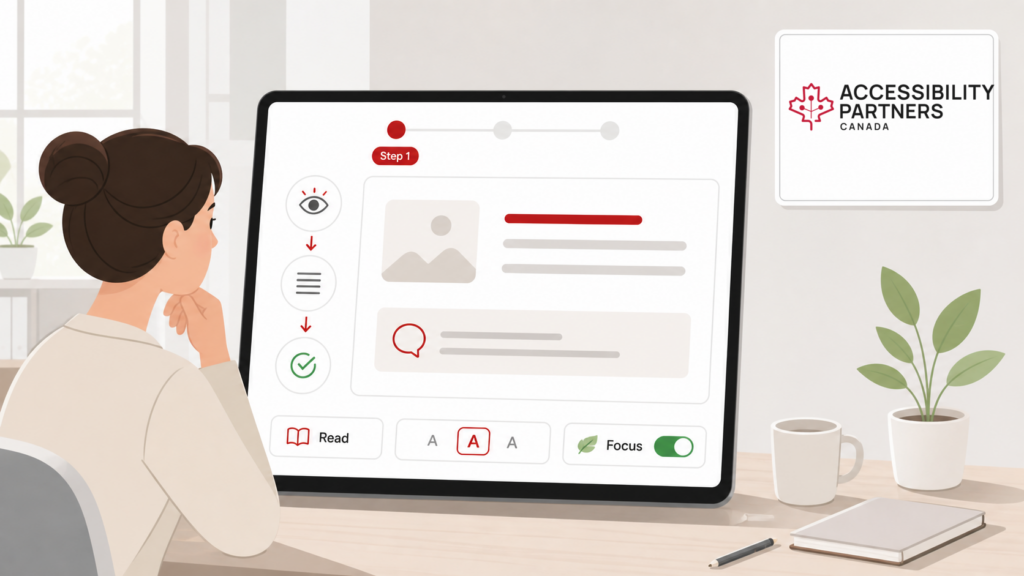
Designing for cognitive accessibility doesn’t mean simplifying everything, it means making content clearer, more intuitive, and supportive. Here are easy tips:
- Use plain language: Write as if you’re explaining something to a friend. Avoid jargon.
- Break content into chunks: Short paragraphs, bullet points, and headings help scanning.
- Avoid auto-play and animations: These can distract or overwhelm users.
- Add icons or visual cues: Icons alongside text can improve comprehension.
- Use consistent navigation: Don’t move your menus around or change terminology.
- Label everything clearly: Buttons, forms, and links should describe their purpose.
- Provide instructions and feedback: Let users know what to expect and what to do next.
These small changes make a big difference, not just for people with cognitive disabilities, but for everyone.
Key Principles for Effective Cognitive Accessibility
To guide your inclusive design, follow these core principles:
- Clarity: Remove ambiguity in both text and interface. Use everyday language.
- Consistency: Use the same navigation patterns and page layouts across your site.
- Support: Offer help text, examples, and alternatives. Tooltips and FAQs are valuable.
- Flexibility: Allow users to adjust text size, turn off animations, or use screen readers.
- Error Tolerance: Make it easy to recover from mistakes. Use validation messages and undo options.
These principles don’t require advanced tech, just thoughtful design and user-centered content.
Final Thoughts: Prioritizing Cognitive Accessibility
Cognitive accessibility is the next major frontier in creating truly inclusive digital experiences. As awareness grows, so does the responsibility for web developers, content creators, and businesses to design with all users in mind.
Accessibility isn’t complete unless it includes cognitive needs.
Need help making your website more cognitively accessible? Contact Accessibility Partners today for a personalized audit or expert support. A comprehensive web accessibility audit can help identify cognitive accessibility barriers, usability challenges, and opportunities to create a more inclusive digital experience for all users.