
Online forms are essential tools for digital interaction from registration and feedback to applications and e‑commerce. But many people with disabilities struggle to use them when they aren’t designed inclusively. Accessible online forms ensure that all individuals, including those who use screen readers or keyboard navigation, can interact with and complete forms independently and successfully.
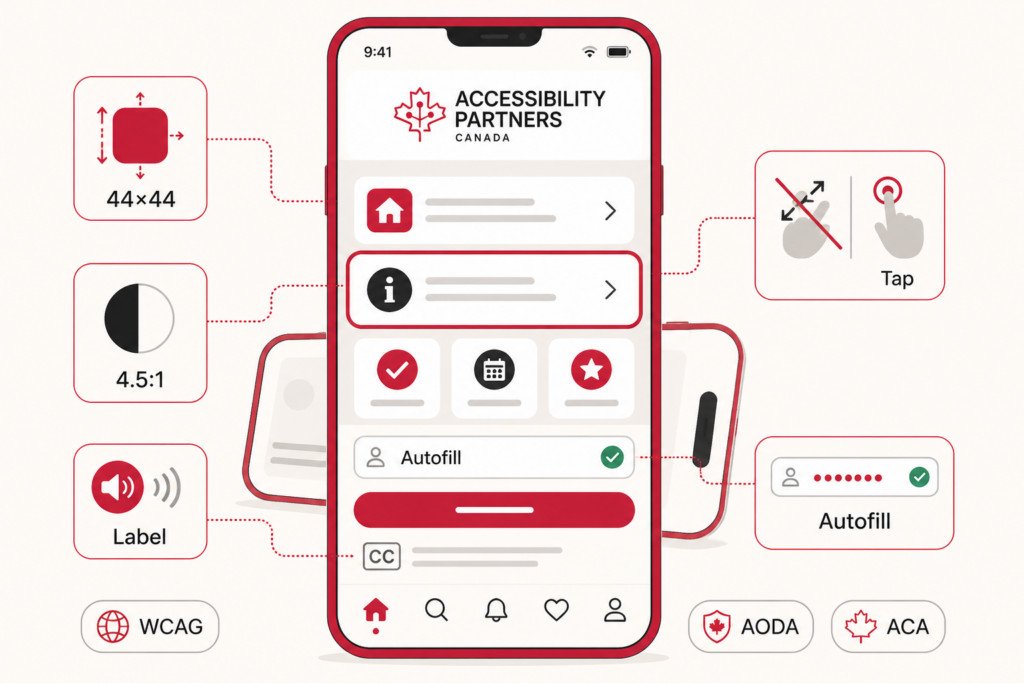
Under Canadian accessibility laws, organizations must provide inclusive digital experiences that allow equal access to services and information online. The Accessibility for Ontarians with Disabilities Act (AODA) applies to organizations operating in Ontario, while the Accessible Canada Act (ACA) applies to federally regulated organizations.
Why Online Forms Are a Common Digital Accessibility Barrier
Online forms are more complex than they seem. A simple text box or submit button might look fine visually, but without proper accessibility, it can pose significant barriers:
- Screen reader issues: Without proper labels and associations, screen readers cannot announce what form fields are or how to interact with them.
- Keyboard navigation gaps: Users who cannot use a mouse must rely on keyboard input. If tab order is inconsistent, required fields are skipped, or controls don’t respond to keyboard events, the form becomes unusable.
- Form errors: Inaccessible error messages that aren’t programmatically linked to the input field leave users confused about how to correct mistakes.
These barriers not only create frustration but also prevent individuals with disabilities from completing essential tasks like submitting an application or providing feedback.
How Canadian Accessibility Laws Apply to Online Forms
In Canada, accessibility legislation increasingly covers digital services, including online forms. Two key laws to understand are:
AODA (Accessibility for Ontarians with Disabilities Act)
Applies to organizations operating in Ontario. Under the AODA, the legal requirement is WCAG 2.0 Level AA. We build and test forms to WCAG 2.2 AA, which exceeds the legal minimum. This includes forms as part of web pages and interactive content.
ACA (Accessible Canada Act)
Applies to federally regulated organizations and seeks to remove barriers to accessibility across Canada, including in digital products and online services.
Under these laws, organizations must provide equal access to services and information, which includes online interaction and transactions. Accessible forms help fulfill these obligations by making participation possible for individuals with disabilities.
WCAG as the Technical Standard for Accessible Forms
The Web Content Accessibility Guidelines (WCAG) are internationally recognized technical standards used to design and evaluate accessible digital content and are commonly used to demonstrate compliance with Canadian accessibility requirements. While the law sets the mandate, WCAG provides the how‑to:
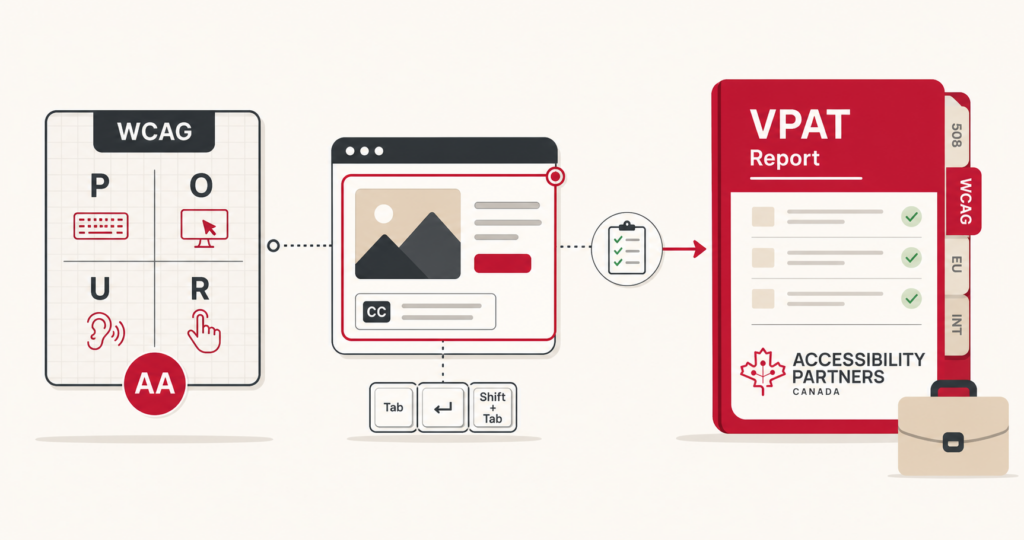
- WCAG defines success criteria related to perceivable, operable, understandable, and robust (POUR) content.
- Specific criteria address interactive components like forms including labels, instructions, focus order, and error identification.
WCAG isn’t about a checklist of visual tweaks, it’s about enabling assistive technologies to interpret web elements correctly so users can interact without barriers.
Essential Elements of an Accessible Online Form
To be truly accessible, forms should include:
- Proper form labels: Each input field must be clearly identified so assistive technologies can correctly announce its purpose.
- Clear instructions: Let users know what information is required and how to format responses.
- Accessible validation and error messaging: Errors should be presented in a way that assistive technologies can read and explain them.
- Logical tab order: Keyboard users should be able to navigate sequentially through fields.
- Group related fields: Related inputs such as radio buttons or checkboxes should be grouped so assistive technologies can convey their relationship.
Together, these elements reduce user confusion and support independent completion of forms by people using assistive technology.
Common Online Form Accessibility Issues Found in Audits
In accessibility evaluations, some issues frequently appear in online form testing:
Missing or improperly associated labels
Missing or improperly associated labels, which prevent screen reader users from understanding field purpose.
Placeholder text used instead of labels
Placeholder text used instead of labels, which disappears as users enter data.
Inaccessible error messages
Inaccessible error messages that aren’t linked to specific fields.
Improper focus management
Improper focus management, where focus jumps unpredictably or gets trapped.
Addressing these common web accessibility issues improves accessibility and reduces form abandonment rates for all users.
Accessible Design vs Accessible Functionality in Forms
A form can look clean and modern, yet still fail accessibility. Visual design and functional accessibility aren’t the same:
- Design elements like styles, spacing, and aesthetics matter visually but don’t guarantee usability for assistive technologies.
- Functional accessibility ensures that the underlying code, not just the appearance, communicates structure and instructions to assistive tools such as screen readers and keyboard navigation.
This distinction is critical: accessible forms must be both usable by all users and coded to communicate meaningfully to technology.
How to Review and Test Online Forms for Accessibility
A robust testing strategy includes:
- Automated tools: These find many technical issues (e.g., missing form labels, colour contrast issues in web accessibility).
- Manual testing: Keyboard-only navigation and screen reader testing (such as NVDA or VoiceOver) reveal barriers that automated tools miss.
Combining both approaches provides the most effective way to identify and resolve accessibility gaps during an accessibility gap analysis.
The Impact of Inaccessible Online Forms on Compliance and Access
Inaccessible forms don’t just frustrate users, they create compliance risks and exclude people with disabilities from equal participation. Potential consequences include:
- Denied access to services or opportunities.
- Customer dissatisfaction and abandonment.
- Potential accessibility complaints or compliance concerns under AODA or the Accessible Canada Act.
Investing in accessible forms isn’t just about compliance, it’s about inclusive customer experience and brand reputation.
Building Accessible Online Forms for Ongoing Compliance
Accessible forms support long‑term compliance and improve user experience. Building accessibility into forms from the start rather than retrofitting at the end reduces rework and ensures consistency with evolving WCAG standards.
By following WCAG best practices and combining rigorous testing with accessibility expertise, organizations can provide inclusive digital experiences that meet legal requirements and serve everyone effectively.
Accessibility Partners helps organizations evaluate online forms, identify WCAG compliance gaps, and implement remediation strategies that support AODA and Accessible Canada Act requirements. Organizations seeking local guidance on digital accessibility compliance can work with experienced accessibility consultants in Vancouver to assess online forms, identify barriers, and support ongoing accessibility improvements.