If you’re navigating the world of digital accessibility, you’ll often come across the terms VPAT and ACR. These documents help companies communicate how accessible their digital products are—whether it’s a website, app, software platform, or digital tool.
But what exactly is the difference between a VPAT and an ACR? In this blog, we’ll explain what each document is, how they’re used, and why they’re essential for accessibility compliance, procurement processes, and inclusive business practices.
What Is a VPAT?
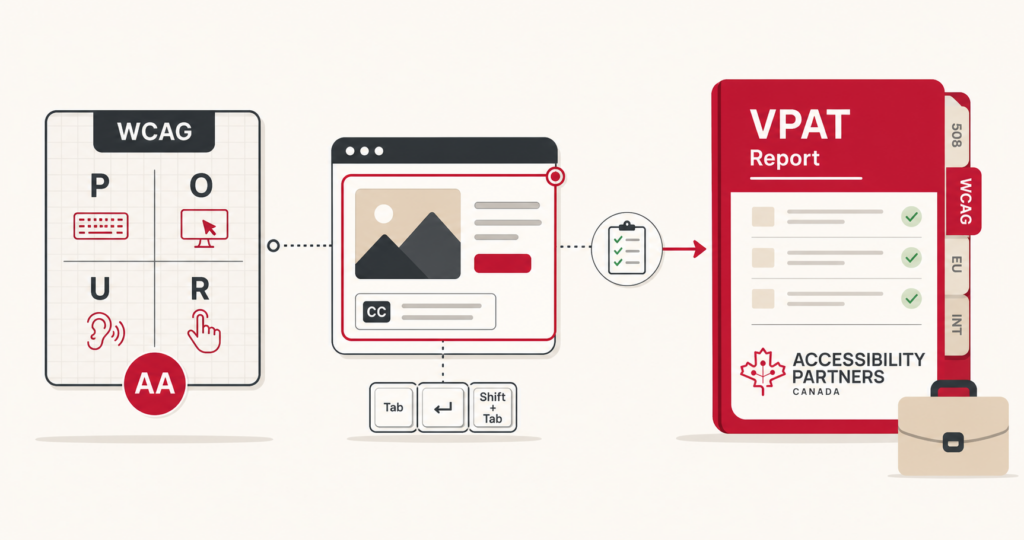
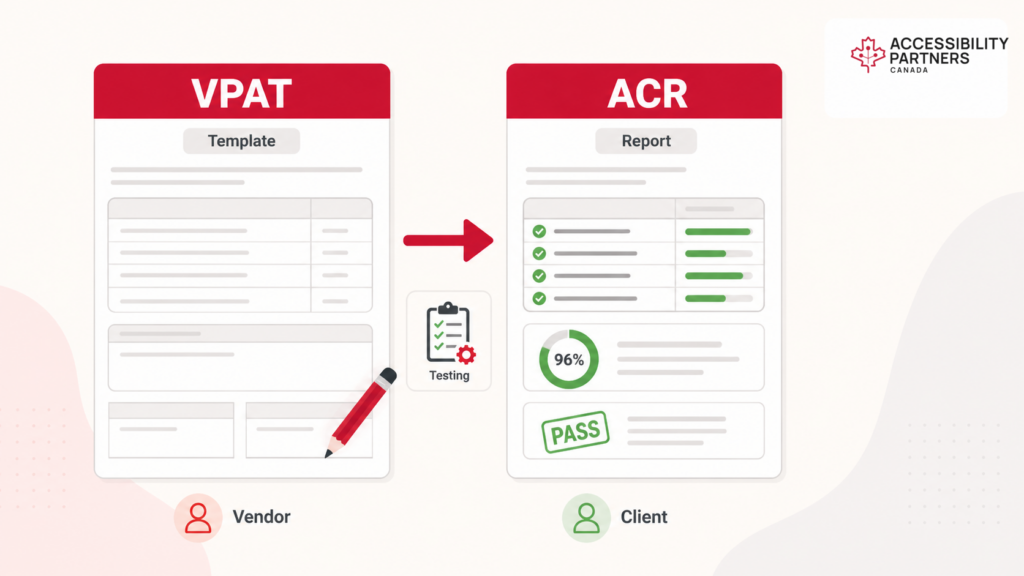
A VPAT (Voluntary Product Accessibility Template) is a standardized form used to describe how a digital product aligns with various accessibility guidelines. It’s not a certification, but rather a self-disclosure template that vendors complete to show how their product meets standards like:
- WCAG (Web Content Accessibility Guidelines)
- EN 301 549 (European accessibility standard)
- Revised 508 standards for ICT products
Typically, a VPAT report is filled out by a product’s development or accessibility team—or sometimes by third-party auditors. It outlines how compliant the product is and where accessibility gaps may exist.
What Is an ACR?
An ACR (Accessibility Conformance Report) is the completed version of the VPAT. Once the VPAT template is filled in—based on actual testing, audits, and analysis—it becomes an ACR.
The Accessibility Conformance Report is what businesses, government agencies, and procurement teams actually review to assess a product’s accessibility status. It helps them determine whether a product meets the legal and ethical standards required for purchase or use.
What Are Qualities of a Good ACR?
A good ACR isn’t just a checklist—it’s a trustworthy accessibility document that provides clarity, depth, and transparency. Here are key features:
- Clear language: Avoid jargon and explain any technical terms.
- Honesty: Accurately report issues or limitations in accessibility.
- Evidence-based: Results should be based on thorough accessibility audits and testing.
- Standards alignment: Refer to specific WCAG criteria or legal frameworks.
- Actionable detail: Explain which parts are compliant, partially compliant, or non-compliant.
The Difference Between a VPAT and ACR
The VPAT and ACR are closely related—but they’re not the same.
| Feature | VPAT | ACR |
|---|---|---|
| Type | Blank template | Completed report |
| Purpose | Outline what to document | Show how accessible the product is |
| Filled By | Vendor or third-party tester | Vendor, auditor, or accessibility team |
| Used By | Development or sales team | Procurement officers, clients |
| Includes | Format for describing accessibility | Results of actual testing and reviews |
In simple terms: VPAT = form, ACR = filled-out result.
Why These Documents Matter for Compliance and Business
Having a VPAT or ACR shows you’re serious about accessibility compliance. These documents:
- Support legal compliance (especially for public sector deals)
- Build trust with customers who prioritize inclusion
- Streamline procurement for buyers with accessibility standards
- Strengthen your brand by showing you’re committed to digital inclusion
Without a well-documented VPAT or ACR, your product may be passed over for contracts—especially in government, education, or healthcare sectors where accessibility is mandated.
Tips for Creating Accurate VPATs and ACRs
Want your VPAT documents to stand out for the right reasons? Follow these tips:
- Start with testing: Conduct a full accessibility audit before filling anything out.
- Use the right version: There are different VPAT editions depending on which standards you’re reporting on (WCAG, EN 301 549).
- Don’t exaggerate: Be honest about limitations—transparency is better than false claims.
- Hire experts: Work with certified accessibility consultants for thorough, accurate results.
- Update regularly: Accessibility evolves—so should your documentation.
Final Thoughts
In 2025 and beyond, VPATs and ACRs are more than just paperwork—they’re proof of a company’s commitment to accessible and inclusive design. Whether you’re selling software to the government or building a tool for public use, these documents play a critical role in accessibility documentation, compliance, and market trust.
Need help preparing your Accessibility Conformance Report or conducting a full accessibility audit? Contact Accessibility Partners for expert guidance and reliable support.